

Wondering if charging your phone too much is bad for it? This easy-to-follow guide explores how your daily charging routine affects battery health, and what you can do to help your phone last longer without getting caught up in myths. How do phone batteries work? Modern smartphones use lithium-ion batteries.

Charging habits that help your phone battery last longer

The 2025 laptop buyer’s guide for remote workers
Whether you’re at a coffee shop or your home office, your laptop should seamlessly keep pace with your workflow. Here’s an updated look at what makes a laptop remote-work ready in 2025, without drowning you in tech jargon. Performance A laptop’s processor (CPU) and memory (RAM) determine how effectively a machine handles tasks.

Protecting your business: Mobile device security essentials
Mobile devices play an essential role in daily business activities. They enable employees to work efficiently, whether in the office or on the move. Yet, if these devices fall into the wrong hands, confidential company data could be exposed. Here are key security practices to protect mobile devices in your organization.

Finding your fit: A beginner keyboard buyer’s guide
Your keyboard is one of the most-used tools on your desk, so choosing one should never be an afterthought. In this post, you’ll learn how to evaluate switch feel, connectivity, layout options, and other critical features that make a difference in everyday use.

Why two screens are better than one: The business benefits of dual monitors
Do you find it difficult to stay focused because you’re frequently switching between multiple windows? Dual monitors offer a simple yet effective solution to enhance your workflow. In this article, we’ll explore the benefits of dual monitors and how they can help create a more intuitive and efficient workspace.
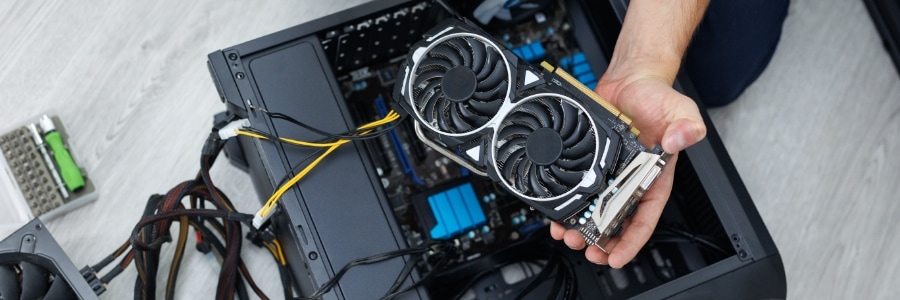
How to build a custom PC from scratch
Building your own PC lets you customize every aspect of your system. In this blog, we’ll provide step-by-step instructions and expert advice to make sure your first build goes smoothly. Start with a plan Before jumping into shopping or assembling your PC, you should first consider three key factors: your primary use case, budget, and […]

How to solve 5 everyday network glitches
Struggling to get online or load a web page? You’re not alone. This article covers five of the most common network problems — like DNS errors, limited connectivity, and sluggish internet — and gives you step-by-step instructions to fix them. Keep this guide handy for when your connection needs a quick rescue.

Stop replacing, start maintaining: Tips for business hardware longevity
Reliable technology isn’t just helpful; it’s essential. But constantly replacing equipment can strain your budget. The good news? With a few smart habits and a little effort, you can extend the life of your computers and hardware, keeping them running like new for longer.

A smart guide to selecting computer hardware for your business
If your business computers are slowing down, struggling with everyday tasks, or frequently needing repairs, it’s a sign that your hardware may no longer be keeping up. Aging equipment can drag down efficiency and even cost you more in lost productivity than an upgrade would.

Thin and zero clients: The smart way to slash IT expenses
If you’re looking for ways to reduce IT costs, purchasing high-end computers is not the right strategy. These devices come with a hefty price tag and require frequent upgrades, leading to increased hardware expenses. Thin and zero clients offer a more cost-effective solution by offloading computing processes to centralized servers.